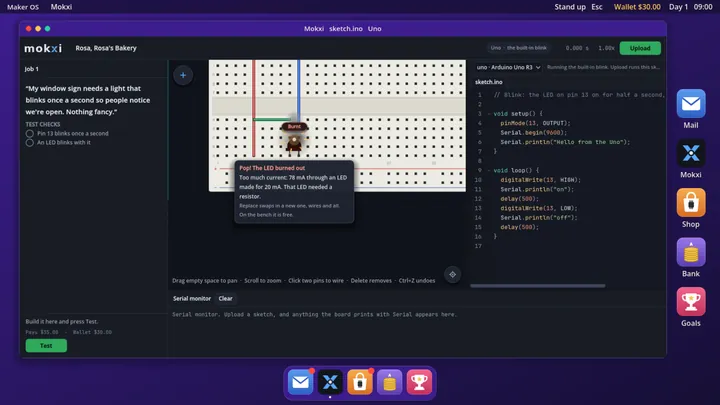
Real circuits
Every circuit really works
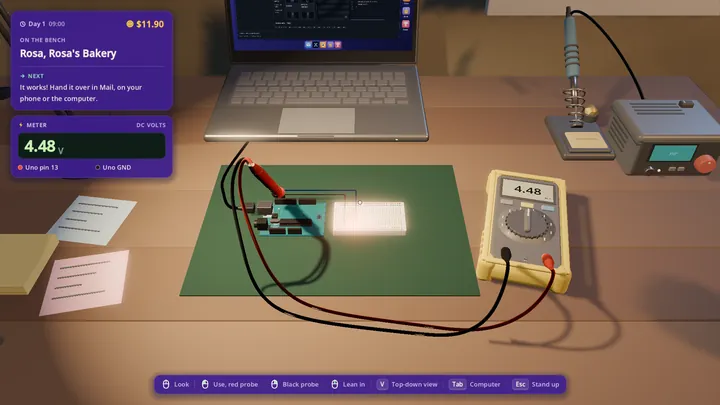
Every gadget runs on a real circuit simulation and real code on a real microcontroller. Nothing is scripted to break: if it works on this bench, it works on a real one.

The electronics simulator where you learn by fixing and get rich by making.
Circuit complete. We'll email you the day Maker Simulator launches.
Until then, keep the soldering iron warm.
You're on the list! We'll email you the day Maker Simulator launches.
Almost! Joining needs JavaScript turned on, for a quick check that you're not a bot.
That didn't go through. Check your email and the 13 or older box, then try again.
We only use your email for the giveaway and to tell you when Maker Simulator launches. Unsubscribe any time. Privacy Official rules
Real circuits
Every gadget runs on a real circuit simulation and real code on a real microcontroller. Nothing is scripted to break: if it works on this bench, it works on a real one.
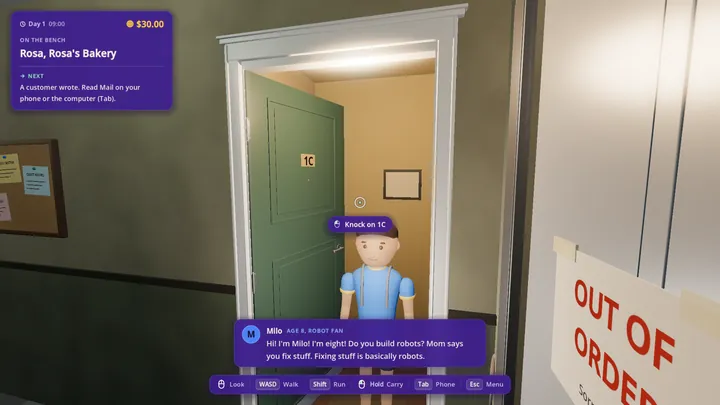
Repair jobs
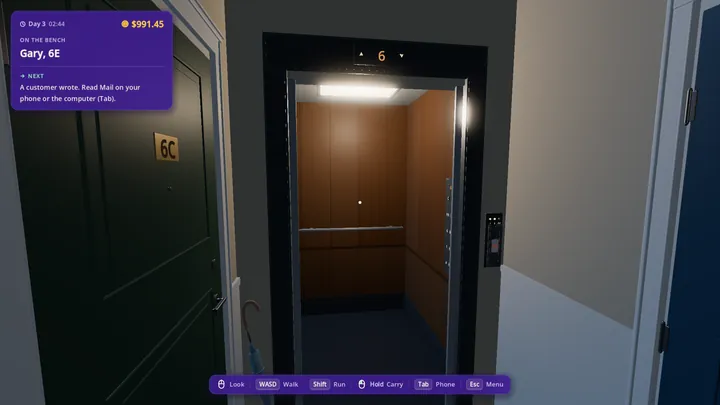
Knock on doors and meet the building. A hall light that keeps tripping, a lift that won't run: open them up, probe them, solder and reflash the code.
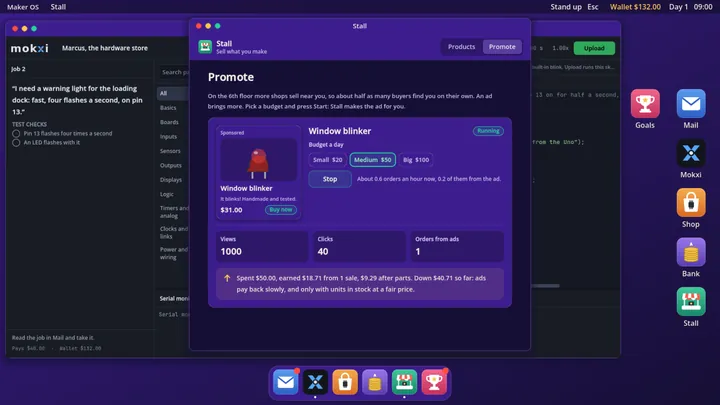
Your own products
Design your own gadgets, list them on Stall, run a little ad and build each order at your desk. A cleaner design costs less to make, so good engineering pays.
The arcade
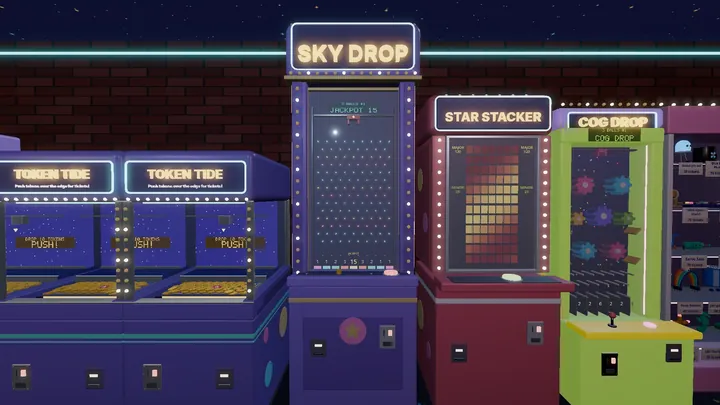
Drop a ball down Sky Drop and its pegs light up and ping up the scale. Pinball, coin pushers, roller lanes and a prize counter too, all with real physics, and you fix the machines when they break.
Move up
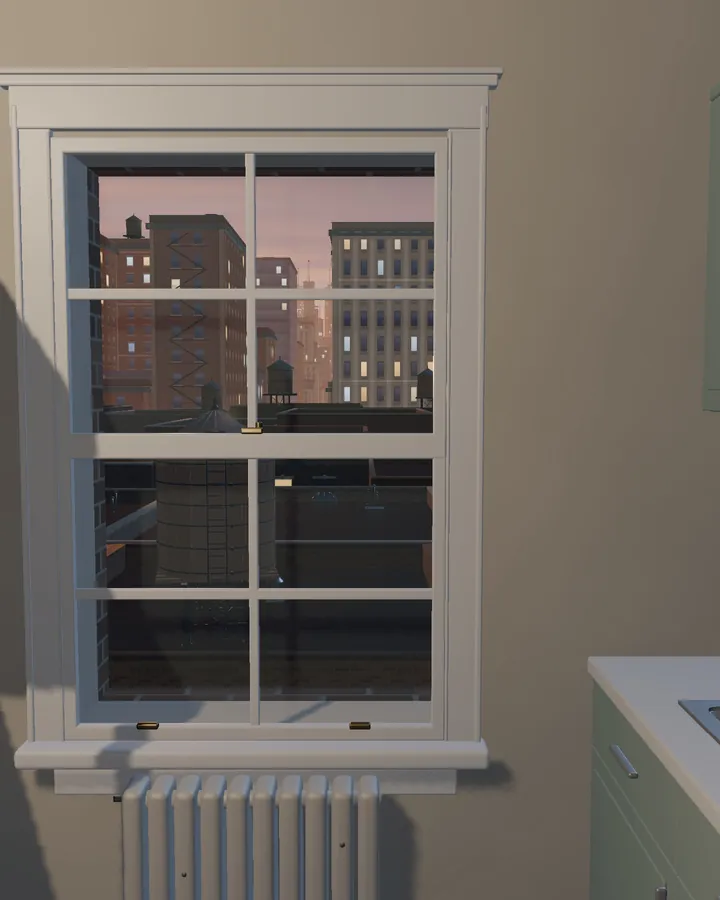
Start in a ground floor studio that looks at a brick wall. Your profits move you up: the 6th floor looks over the rooftops, the penthouse over the whole city.
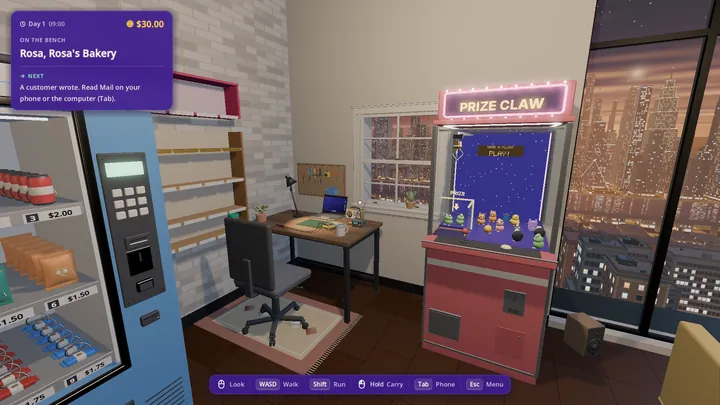
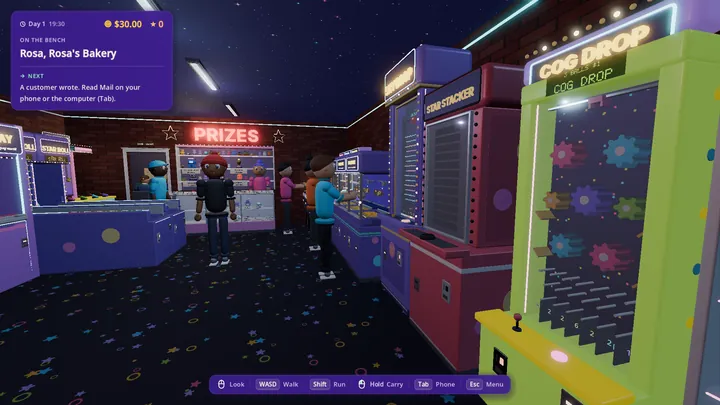
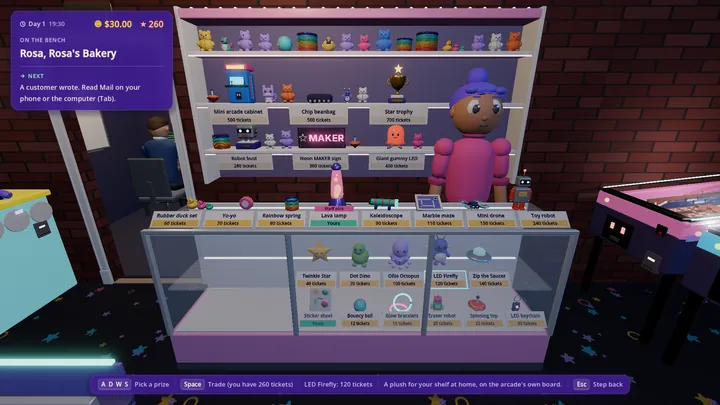
Here's what's in the 0.5.0 beta. It's still in development, so details can change.
Move between your studio, the 6th floor and the penthouse. Your old home stays yours. Walk out onto the roof terrace. Every window looks over one retro-tropical city, with roads, shopfronts and rooftops.
Take the lift down once Petrov's lift panel is fixed. Every machine costs about one in-game dollar and pays tickets by skill. Trade them for prizes that come home with you. Pinball has three tables, and your best scores are saved.
Open any machine and look inside. Fix faults, pull and fit parts, rewire, add mods and edit a board's program, even while it's on. Each fault teaches you the next thing to learn.
Head bob is off by default. There are five save slots, and old saves always load. Lower graphics budgets and a frame cap help slower PCs. Pause stops the whole world. Text comes in 12 other languages, drafts that still need native review.
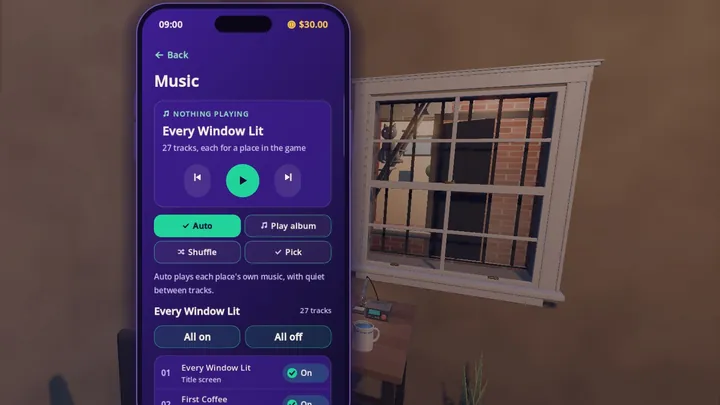
27 original tracks for the studio, the lift, the arcade and the late nights. A track plays and then the room goes quiet for a while. The Music app on your phone plays any of them and every track has its own on and off switch.
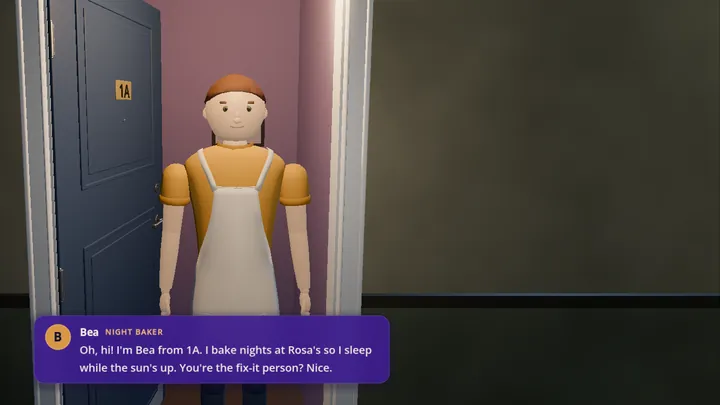
Neighbors, Dane and the arcade crew chatter in a soft made-up babble while their words are on screen. There are no real words and nothing's recorded. Questions go up at the end and a voice behind a shut door sounds muffled.
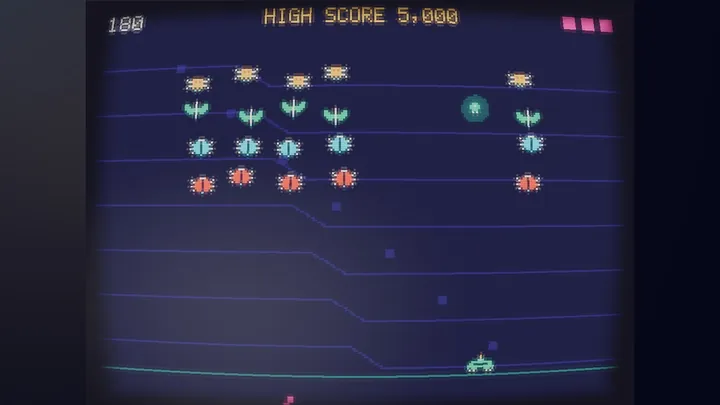
Two video cabinets in the Nova Arcade run their own little games on curved CRT screens, each with a top five table. Break one and it fizzles with static, a rolling picture or NO SIGNAL until you fix it.
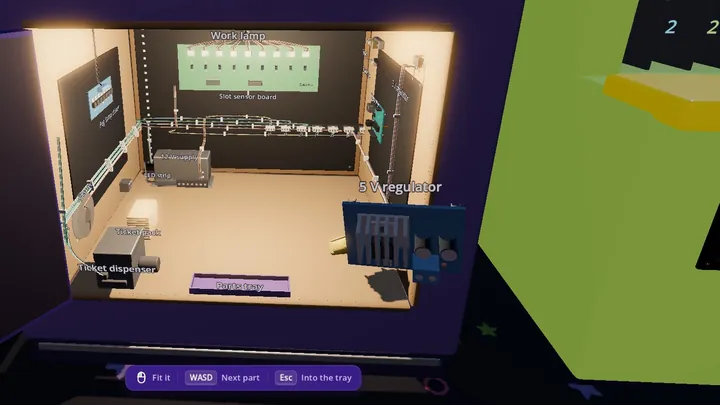
Open a service door and pull out the controller, the fuse, the power supply or the speaker. Carry it around or swap it into another mount and the machine reacts for real. No supply means no power. No speaker means no sound.
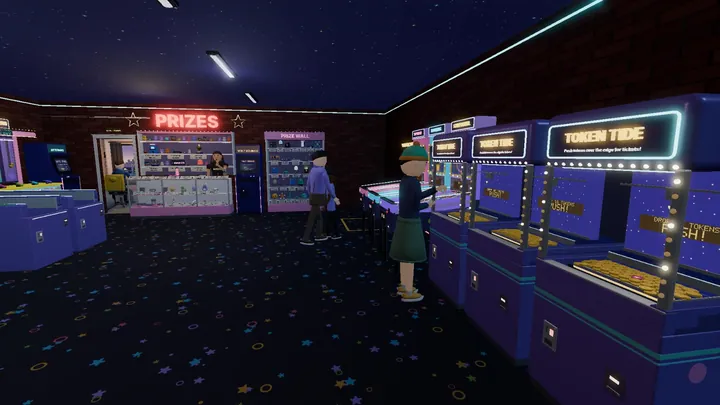
Arcade visitors put their hands on the real controls: the stick and buttons on Sky Drop, both flipper buttons on pinball, the mallet on Puck Bot. They lean in and cheer a big win and slump after a bad one.
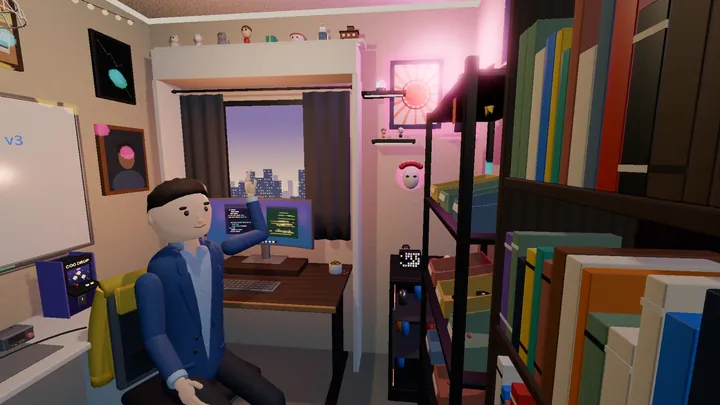
It's behind a staff door in the arcade. Parts bins, a bean bag, a toy shelf and a window that's really a screen because the office is underground. The switch by the door turns on slow party lights. Nothing flashes.
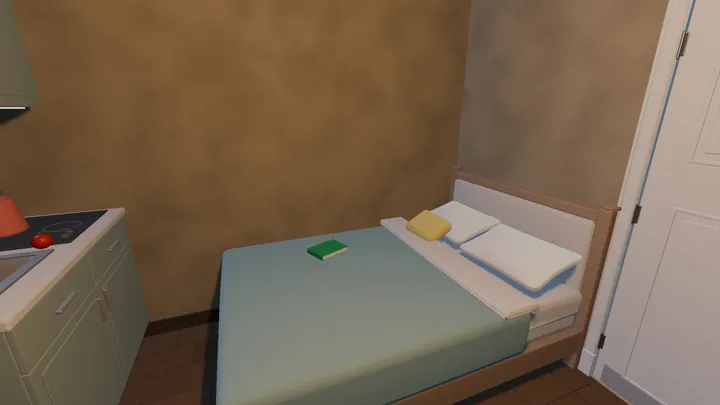
The studio has a proper bed you can lie down in. Click your speakers to pick a track, set the volume or turn them off and the music plays from them. Your sneakers wait on the mat by the door.
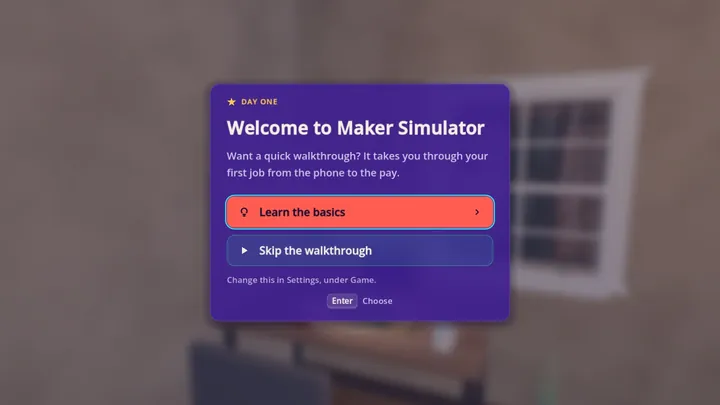
A new game asks first. Learn the basics walks you through your first job and Skip the walkthrough drops you into free play. Pause freezes the whole world now, people and machines too.
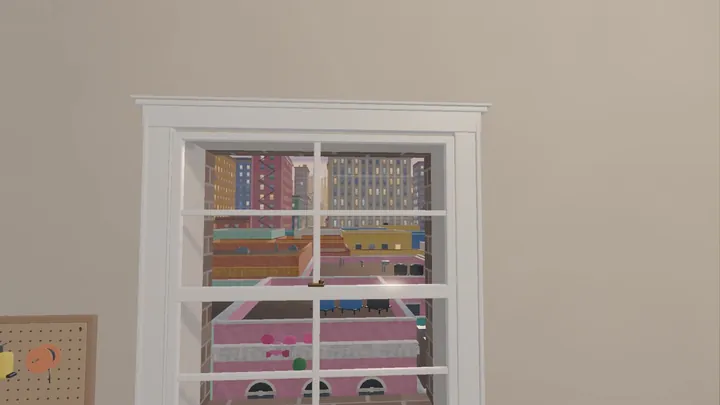
Stucco painted pink, turquoise and yellow, arched windows, palms, papel picado and string lights at night. Moving up doesn't mean moving out anymore. Every home you leave stays yours, just how you left it.
Day and night
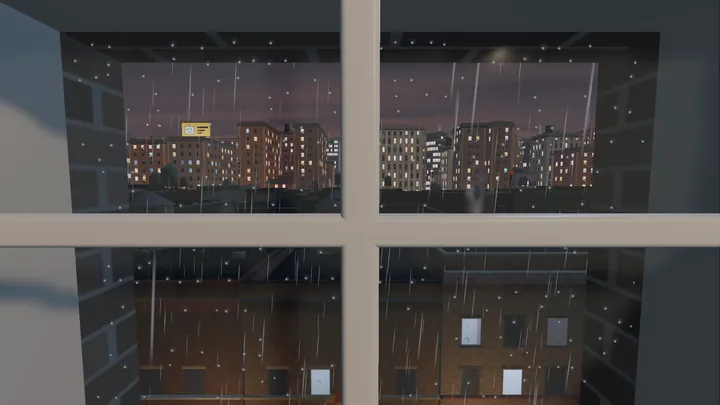
The city runs on its own clock, from sunrise to the middle of the night. Work as late as you like, or sleep and wake at sunrise to a fresh coffee.
The weather changes from day to day: rain on the glass, snow on the roofs, fog over the skyline.

Real renders from the game. The moving weather is drawn by this page: tap or drag on the glass.
Seasons
Blossom in spring, full green in summer, orange in fall and bare branches under snow in winter, on the street outside the 6th floor.

Plush resistors and LEDs, a reef of electronic sea creatures, a Mokxi set, a lava lamp and a mini vending machine. Bring them home, and your shelves fill up as you collect.
 Rezzy Resistor
 Cappy Capacitor
 RGB Glow
 Seven Seg
 Meter Max
 Lava lamp
 Servo Octopus
 LED Starfish
 Pin Puffer
 Big Blue Whale
 Puffy Pufferfish
 Mini vending machine
Keyboard and mouse or a gamepad, big text or small, in your language.
AUse, carry, click
Xbox and PlayStation pads and the Steam Deck. Every hint on screen shows the button on yours.
Keys and pad buttons, all in Settings. Try it on the key above.
Scale every menu and screen from 90% to 150%. On a Steam Deck it starts at 140%.
Take the jobEnglish
The game's own Take the job button in each of its languages. Pick one above. Translations still being polished.

Mokxi is an electronics workbench that runs in your browser at mokxi.com. You wire parts on a breadboard, write Arduino code and press Run. Maker Simulator has Mokxi built in, so every circuit in the game works like the real thing.
A 3D electronics repair and building game for PC. Neighbors bring you broken gadgets: you open them up, probe them, find the fault, fix it and reflash the code. Then you design gadgets of your own and sell them.
Mokxi, the electronics simulator at mokxi.com. Mokxi's simulation engine and compiler are built into the game, so circuits and code behave like the real thing. You don't need a Mokxi account to play.
Steam on PC (Windows) first, with Steam Deck support built in. Mac, phones, tablets and consoles are next on our list if the launch goes well.
The planned price is $19.99, one price for the full game.
The launch date isn't announced yet. Join the waitlist and we'll email you the day it launches.
13: English, German, Spanish (Spain and Latin America), French, Italian, Japanese, Korean, Polish, Brazilian Portuguese, Russian, Turkish and Simplified Chinese. The translations are still being polished.
Yes. It's made for kids, families and makers. The arcade pays in tickets for prizes, never money, there's nothing that plays like gambling, and the game collects no data.
No. The first jobs start with a single LED, each one teaches one new idea, and hints are there when you need them.
We're giving 25 free copies to people on the waitlist, drawn in rounds of 5. The draw dates will be posted on the rules page and emailed to the waitlist before the first draw.
For PC. Join the waitlist and we'll email you the day it launches.
Steam on PC comes first, with Steam Deck support built in. Mac, phones, tablets and consoles are next on our list if the launch goes well.
Join the waitlist